Boost Local SEO with Google Business Profile 2026
Google Business Profile, Local SEO, Senior Care Marketing
The 2026 Google Business Profile Engagement Algorithm: 20 Minutes a Week to Win Local Search
As a senior software engineer who lives in dashboards and data, I can tell you this: in 2026, Google Business Profile is basically running on an engagement algorithm. If your profile sits dormant, it slowly sinks. If you nudge it a few times a week, it rises—and your phones and inbox feel the difference.
How Google’s 2026 Engagement Algorithm Really Thinks
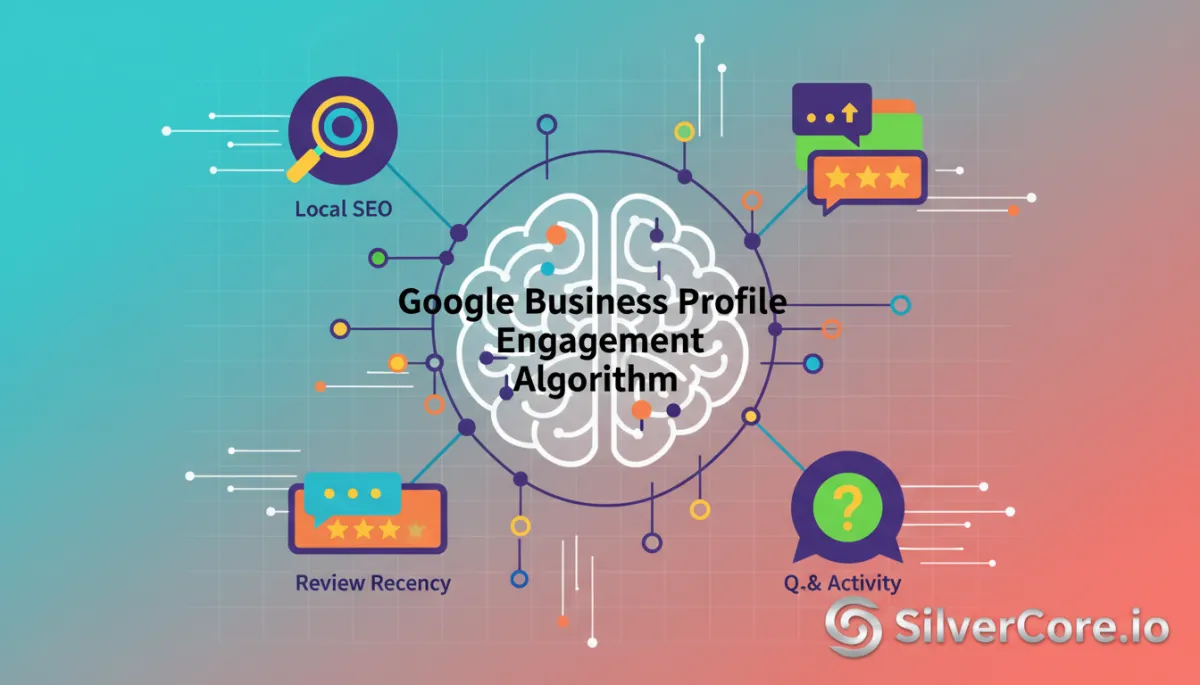
Under the hood, Google still leans on relevance, distance, and prominence for Local SEO, but studies in 2026 show that Google Business Profile (GBP) signals now drive roughly 32–36% of local rankings and review signals another 16–20% (Whitespark, The Valley Marketing Group). The twist is that Google now measures how “alive” your profile is through engagement signals:
Photo views & freshness – Profiles with lots of recent photos get dramatically more calls and direction requests.
Review recency & velocity – A steady stream of new reviews beats a big pile of old ones every time.
Q&A activity – Questions asked and answered signal that real people are considering your business right now.
Behavioral engagement—clicks, calls, direction requests—adds another 5–9% of ranking weight. Put simply: dormant profiles are losing local search ranking to competitors who spend about 20 minutes a week keeping things active.
💡 Friendly reality check: In Senior Care Marketing, that 20 minutes can be the difference between being in the Local Pack or buried on page two— which directly impacts organic inquiries and cost per resident.
A 20-Minute Weekly Framework for Senior Care Profiles
Here’s the tactical, step-by-step routine we use at SilverCore.io with senior living and senior care agencies. Think of it as a lightweight Profile Optimization sprint that feeds Google’s Engagement Algorithm exactly what it wants.
Step 1: Fresh Photos (5 minutes)
Once a week, upload 2–3 authentic photos: community spaces, activities, staff interactions (with permission). Google’s own data shows profiles with many photos get exponentially more engagement.

Modern clean pop retro style of a senior care team member uploading new community photos to a...
Weekly photo uploads keep your profile “alive” and drive more qualified actions.
Step 2: Review Recency Routine (10 minutes)
Set a simple rule: every week, invite a small batch of families to review you, and reply to every review. Google’s ranking studies in 2026 are clear: consistent new reviews and high reply rates are powerful signals of prominence.
// Pseudo-workflow for a weekly review routine
const familiesToInvite = getFamiliesDischargedThisWeek();

familiesToInvite.forEach((family) => {
    sendReviewRequestEmail(family.email, {
        profileUrl: GOOGLE_BUSINESS_PROFILE_URL,
        templateId: "post-stay-review"
    });
});

// Once a week, respond to all new reviews
const newReviews = fetchNewGoogleReviews({ sinceDays: 7 });

newReviews.forEach((review) => {
    postOwnerReply(review.id, buildCompassionateReply(review));
});
You don’t need code to do this, of course, but thinking in systems helps: make review generation and responses a recurring process, not a one-off task.
Step 3: Q&A and Micro-Updates (5 minutes)
Finally, check the Q&A section of your Google Business Profile. Answer any new questions clearly and kindly. If there are no new questions, add one from your team’s account that reflects common concerns, then answer it. This feeds Q&A activity into the Engagement Algorithm and doubles as FAQ content for families.

Modern clean pop retro style of a senior care marketer answering Q&A and posting short updates...
Active Q&A builds trust with families and reinforces engagement signals for Google.
The Business Outcome: More Organic Inquiries, Lower Cost per Resident
When you follow this 20-minute framework, you’re aligning perfectly with how the 2026 Engagement Algorithm scores your Google Business Profile:
More visibility in the Local Pack and AI Overviews for “assisted living near me” and similar queries.
Higher click-through rates, calls, and direction requests—core engagement signals Google tracks closely.
A steady increase in organic inquiries, which means you can rely less on paid ads and gradually lower your cost per resident.
From a developer’s perspective, this is just an optimization loop: small, consistent inputs (photos, reviews, Q&A) produce compounding returns in Local SEO performance. For your senior care community or agency clients, it simply feels like more right-fit families finding you without extra ad spend.
If you take nothing else from this: don’t let your profile go quiet. Give Google 20 minutes of honest activity each week, and it will happily send more local families your way.
Book a Demo with https://silvercore.io/