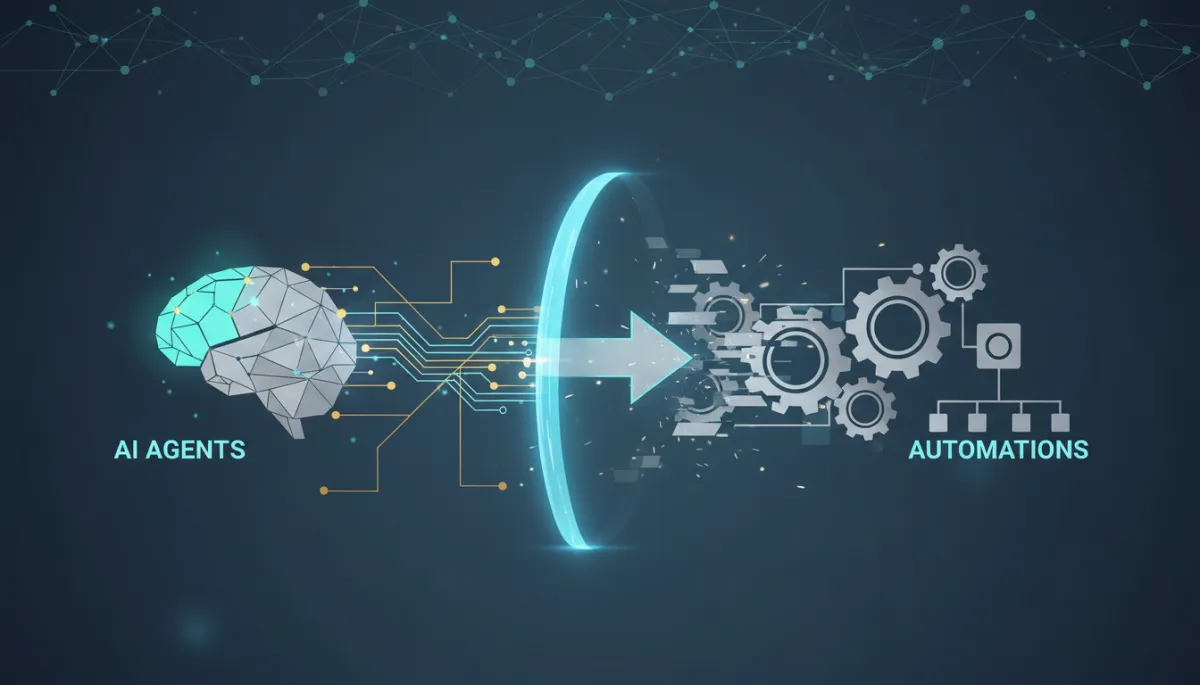
AI Agents vs Automation: Key Differences for Growth
AI Agents, Automation, Senior Market Growth
You Are Running Automations When Your Business Needs AI Agents. Here Is the Difference That Matters.
Most professionals in the senior market believe they have an automated business. What they actually have is a very organized checklist, and that distinction is quietly costing them thousands of dollars each month.
I sat across from an insurance agent last year who told me, with genuine confidence, that his business was automated. He had a follow-up sequence. He had a pipeline. He had triggers set up so that when a lead came in, it would get a text within ten minutes.
I asked him one question: “What happens when the lead responds to that text at midnight asking if you handle Medicare Advantage, and your automation is not set up to handle that conversation?”
He paused. That pause is where the distinction between automation and AI agents lives. And it is the distinction that is quietly separating the professionals who are growing in the senior market from the ones who feel like they are working harder than ever without the results to show for it.
Automation vs. AI Agents: The Difference That Actually Matters
At a technical level, both automations and AI agents move information from one place to another. But at an operational level, they could not be more different in how they protect – or erode – the trust your business depends on.
Automations execute predefined rules. You tell the system: when this happens, do that. It follows the script every time, regardless of context or emotion on the other side of the screen.
AI agents observe, decide, and adapt in real time. They read what a lead actually wrote, interpret intent, choose a response, and then act within the boundaries you set – not just the boxes you checked in a workflow builder.
In simple terms, automation is a flowchart; an AI agent is a trained team member who has read your handbook and can handle what is not in it. Automations follow rules. AI agents apply judgment.
📌 Key Takeaway: Use automation where the outcome is always the same. Use AI agents anywhere a lead’s response should change what happens next.
How Automation Is Quietly Costing the Senior Market
For years, automation delivered exactly what the senior market needed. Automated follow-up sequences improved contact rates. Automated reminders reduced no-shows. Automated intake forms ended endless phone tag. In a simpler environment, that was enough.
But as more professionals entered Medicare planning, Medicaid qualification, senior placement, and elder law, something shifted. Families became more informed, more urgent, and more specific in what they were asking for. Their messages stopped fitting neatly into your pre-written templates.
A daughter caring for a parent with early-stage dementia replies at 9pm with a detailed question about memory care placement costs. Your automation ignores the question and sends the next scheduled message. She feels unheard and calls someone else.
A referral partner sends a lead with rich context about the family’s situation. Your automated intake form captures the basics and dumps the lead into a generic pipeline stage. By the time you speak, the lead feels like they are starting from scratch – and wonders if you really listened.
I have watched this pattern repeat across dozens of senior-focused businesses. The automation works exactly as designed – and still fails the human on the other side. That is the ceiling of rule-based systems in a high-trust, high-context market like yours.
The Numbers: Why AI Agents Deliver Different ROI
The data on AI agents versus traditional automation is no longer theoretical. Gartner projects that by the end of 2026, 40% of enterprise applications will include task‑specific AI agents, up from less than 5% in 2025 (Gartner, 2025). That is not a gentle trend line; it is a structural change in how work gets done.
Companies already deploying AI agents are reporting average returns on investment around 171%, with some U.S. enterprises closer to 192%, while traditional automation typically delivers about one‑third of that return when measured against the same investment (Zealousys, 2026). The difference is not the number of tasks automated; it is the quality of judgment applied in each interaction.
Research from Demand Gen Report and similar studies shows that AI agents managing initial customer interactions can reduce call handling time by nearly 25% and internal transfer rates by up to 60%. In other words, fewer people are bounced around, more questions get answered on the first touch, and more leads stay in your orbit instead of drifting to a competitor.

AI agents consistently lift response and booking rates, turning missed messages into billable appointments.
Meanwhile, a 2025 Slack Workforce Index found that workers who use AI daily are 64% more productive and 81% more satisfied than colleagues who do not. That shapes the expectations your potential clients bring to every interaction: they are increasingly used to intelligent, responsive systems – and they notice when yours is not.
From Checklists to Intelligence: How SilverCore.io Uses AI Agents
When I built the operating system behind SilverCore.io, the goal was not automation for its own sake. It was intelligence in service of relationships. Automation is still the foundation – reminders, confirmations, and routine notices absolutely should be scripted. But the ceiling is an AI conversation agent that can:
Read a lead’s 9pm text about Medicare Advantage or memory care costs,
Understand the specific question and emotional tone,
Respond in your professional voice with accurate information, and
Book an appointment or escalate to you when the situation crosses a line you have defined.
This is not science fiction. Properly configured, this is what AI conversation tools inside SilverCore.io do today for insurance agents, Medicaid planners, senior placement professionals, financial advisors, and elder law attorneys.
💡 Pro Tip: Let automation handle what is predictable. Let AI agents handle what is personal, nuanced, and time-sensitive.
Three Mindset Shifts to Make AI Agents Work for You
Define clear boundaries. AI agents are not rogue robots; they operate inside rules you set. You decide what questions they can answer, what actions they can take, and when they must escalate. The exercise forces you to think through your lead process more carefully than a simple checklist ever did.
Feed them context. Most automations feel robotic because they know nothing beyond the current step. An AI agent that knows a lead came from a specific referral partner, is caring for a parent with a particular diagnosis, and has already asked about a specific benefit can respond with relevance that feels genuinely human.
Let go of needing to touch every interaction. Your highest value is in the deep, high‑trust conversations and professional judgment calls. The agent’s job is to handle everything before and after those moments so you can show up fully where you are irreplaceable.
Practical Steps to Implement AI Agents in Your Senior Market Business
Moving from “I have automations” to “I have an AI‑enabled business” does not require a computer science degree. It requires clarity and a willingness to iterate. Here is a step‑by‑step path you can follow inside SilverCore.io or any comparable platform:
Step 1: Audit Your Current Automations
Pull up every active workflow and ask: “What happens when a lead responds with something unexpected?” If the answer is “the next message sends anyway,” you have found an opportunity for an AI agent to step in and protect that relationship.
Step 2: Map Your First 48 Hours of Conversations
Write down the five most common conversations you have with a new lead in the first two days: Medicare basics, Medicaid asset questions, placement timing, cost concerns, legal documentation, and so on. These become the scenarios your AI agent is explicitly trained to handle. If a conversation fits one of these patterns, the agent manages it. If not, it escalates to you.
Step 3: Define Your Escalation Triggers
Before you ever turn an AI agent on, decide what should route to you immediately. Examples include:
Mentions of specific health conditions or hospitalizations,
Indications that the parent is in immediate crisis, or
Language that signals high urgency about timelines or finances.
Build these as explicit escalation conditions so your agent knows exactly when to step aside and bring you in.
Step 4: Configure Your Agent’s Voice
The biggest fear professionals have is that AI will sound generic. Inside SilverCore.io, you can define tone, vocabulary, and communication style so that your AI agent sounds like you on your best day – calm, clear, and compassionate. A lead in the early stages of a conversation should not be able to tell whether they are talking to you or your agent.
Step 5: Start with One Lead Source
Do not roll this out everywhere at once. Choose the lead source with the highest volume of predictable, repeatable conversations – maybe a specific Facebook campaign or a referral partner. Deploy the AI agent there, observe, refine, and then expand to other channels.
Step 6: Review Weekly for the First 30 Days
AI agents improve with feedback. For the first month, review conversations at least weekly. Look for:
Patterns where the agent handled things beautifully (and you can give it more responsibility), and
Situations where it escalated unnecessarily (a sign you can safely widen its boundaries).
Step 7: Measure Response and Booking Rates Before and After
Two metrics tell you whether your AI agent is working:
Lead response rate – how many people reply to that first outreach, and
Appointment booking rate – how many conversations convert into scheduled calls or meetings.
Establish your baseline before deployment and track weekly. Most professionals see measurable improvement within the first two weeks when the agent is configured with clear boundaries and context.
Frequently Asked Questions About AI Agents in the Senior Market
What is the actual difference between an automation and an AI agent?
An automation follows a script: when this happens, do that – no matter what. An AI agent watches the conversation, interprets what the person is really asking, and then chooses the best response within rules you define. Think of automation as a checklist and an AI agent as a team member who can handle what is not on the checklist.
Will an AI agent feel impersonal to the families I work with?
Not if it is configured correctly. Families in moments of crisis value responsiveness and relevance above all else. An AI agent that responds immediately, addresses their specific question, and books a consultation feels competent and caring. The cold, impersonal experience usually comes from rigid, generic automation – not from a well‑trained agent.
Do I need technical expertise to set up an AI agent in SilverCore.io?
No. SilverCore.io is built for professionals who want results from technology without becoming technicians. You bring your communication style, your most common lead scenarios, and your escalation rules. The platform handles the underlying complexity so you can stay focused on your clients.
How do I know when to use automation versus an AI agent?
Use automation for tasks where the outcome is always the same: appointment reminders, review requests, birthday messages. Use AI agents for anything where what the lead says should change what happens next: qualification, initial inquiries, objections, and emotionally charged questions about care, cost, or timing.
What if my AI agent makes a mistake?
Most issues come from configuration gaps, not random behavior. That is why your first 30 days of review are so important. When you see a pattern you do not like, you adjust the rules, add examples, or tighten escalation triggers. Over time, your agent becomes more precise – just like a team member who gets better with coaching.
The Close: Stop Leaving the Door Locked After Hours
The insurance agent I mentioned at the beginning called me three months after our conversation. He had implemented an AI conversation system inside SilverCore.io. In the first week alone, his agent handled eleven conversations that happened outside business hours. Seven of those booked appointments. Three of those became clients.
He did not change his marketing. He did not change his pricing. He did not work a single extra hour. He simply stopped leaving the door locked when leads came knocking after hours – and he stopped relying on automations that could not listen, think, or adapt.
The senior market is full of talented professionals who are losing ground not because of what they are doing wrong, but because of what their systems are not equipped to do. Automations were the right tool for a simpler time. The conversations your leads need to have with you now require more than a checklist.
Build the intelligence your business deserves. The families you serve deserve it too.
About the Author
Sara Guida is the Founder of SilverCore.io, the growth system built specifically for professionals serving the senior market. After two decades in business development and systems design, she launched SilverCore.io to give insurance agents, Medicaid planners, senior placement professionals, financial advisors, and elder law attorneys the operational infrastructure to grow without complexity. She speaks on business automation, lead systems, and the future of the senior market – and lives by the conviction that every family deserves a professional who shows up, and every professional deserves a system that helps them do it.